- Computer & Device Security
- Policies, Standards, Guidelines
- Security Awareness
- Two Factor Authentication
- WSU Virtual Private Network
How do I report phishing messages or suspicious emails?
Wayne Connect has a powerful filter that prevents many malicious emails from reaching your inbox. Some messages do get past these filters, so if you receive a phishing email, follow the steps below:
Report a message using Outlook in your web browser
1. When viewing the email, click the Junk button at the top.

2. In the drop down window that appears, click Phishing.
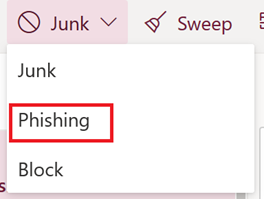
3. The email will be reported to our security team and deleted from your inbox.
Report a message using the Outlook mobile app
1. When viewing the email, tap the three dots in the upper right-hand corner.
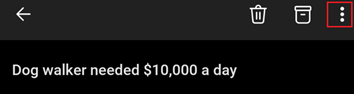
2. Tap Report Junk.
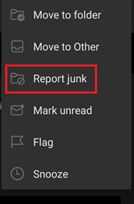
3. At the bottom of the screen, select Phishing.
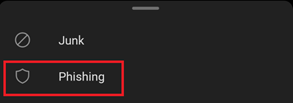
4. The email will be reported to our security team and deleted from your inbox.
Report a message in the Outlook desktop client
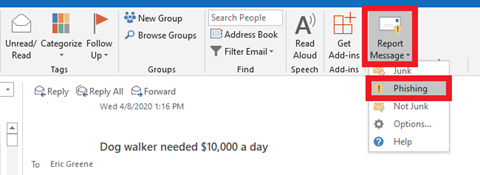
1. Open the email and select Report message from the top menu ribbon.
2. Select Phishing.
3. The email will be reported to our security team and deleted from your inbox.
Note: If you forward your Wayne State email to another service (i.e., Gmail, Comcast, AOL, etc.) then forward phishing messages targeting your Wayne State account to abuse@wayne.edu.
More information
- The US Computer Emergency Readiness Team (part of the Department of Homeland Security), provides security tips, including how to avoid phishing scams and malware.